Every invoice named and filed
PaperTriage reads each invoice or receipt, names it with the date, supplier and concept, and suggests the folder it belongs in.
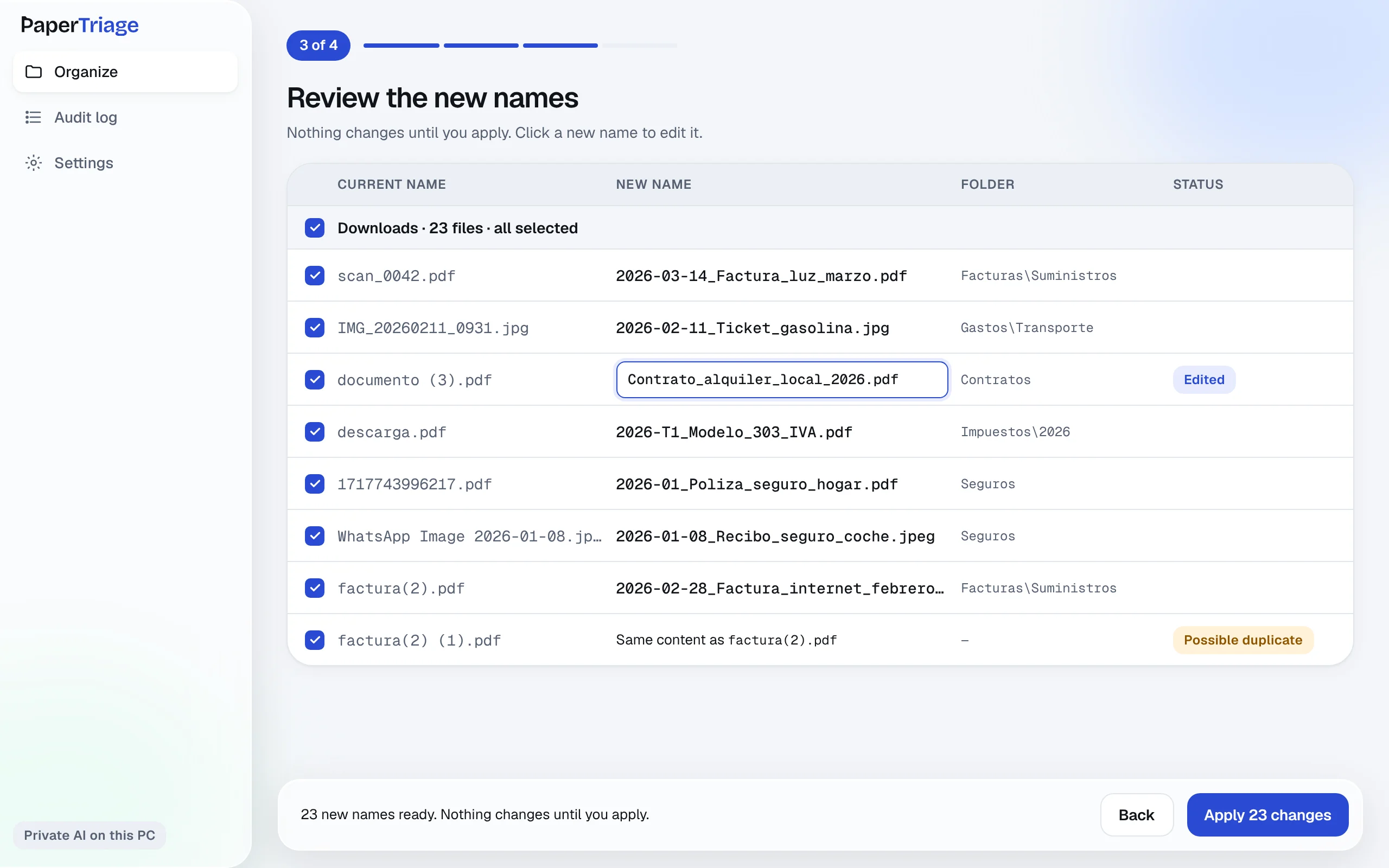
Invoices and receipts, ready for your accountant
BeforeAfter
Why use it for invoices
Dates you can sort
Names start with the invoice date, so every folder is in order.
Folders by type
Utilities, travel, insurance: each invoice goes where it belongs.
Photos of receipts too
Receipts photographed with your phone are read like any PDF.
How it works
1Pick a folder or files.
2AI suggests a name and a folder.
3You approve, and can undo.
Questions
Does it read photos of receipts?
Yes, photos and images of documents are supported, in JPG and other image formats.
Can I use my own folder names?
Edit any suggested folder before applying, and PaperTriage uses your choice.
Does it send invoices anywhere?
Not in private mode: the AI runs on your computer or phone.
Try it on your own documents
Free to download. Nothing changes until you approve it.